Beat Studio 1.3.0-BETA: Flexibility & Feedback
Beat Studio 1.3.0-BETA brings in-app MIDI device switching, latency compensation modes, scoring-colored timeline hits, and pattern editor sub-divisions.
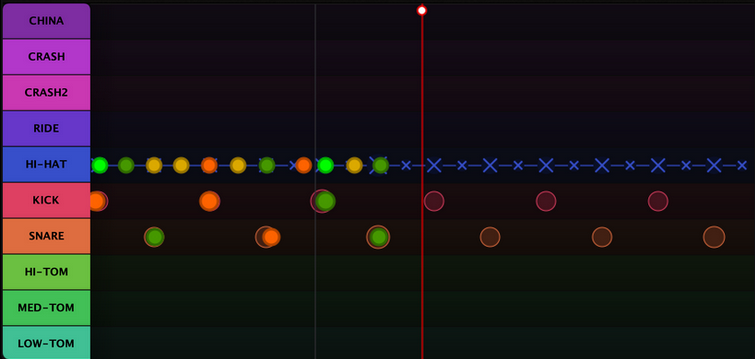
This release focuses on flexibility and feedback. You can now switch MIDI devices and fine-tune latency compensation without leaving the app, and get clearer visual feedback on your playing accuracy. CORE and FREE versions have some feature changes too.
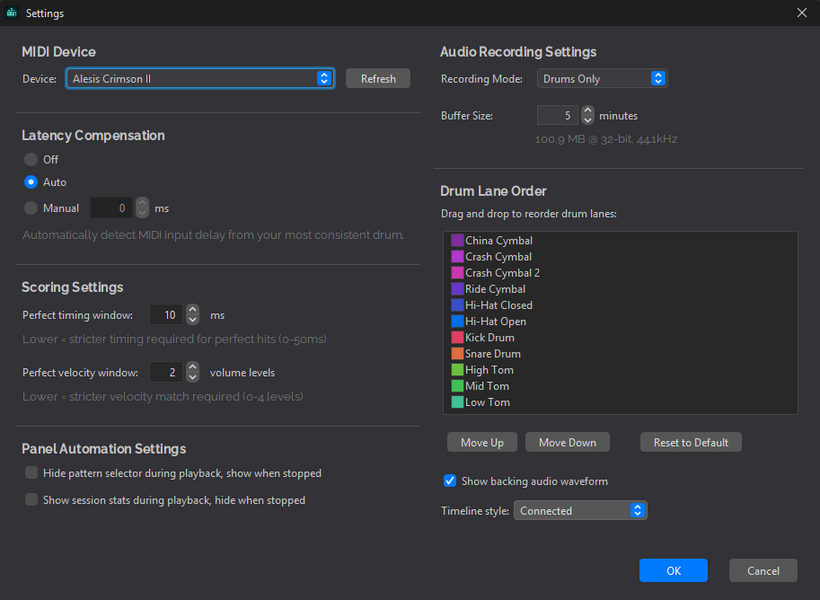
New Settings
MIDI Device Selection: you can now change or set the MIDI device directly from the Settings dialog — no Beat Studio restart required. Vendor names have been removed from mapping file names, so you will need to remap your kit after updating.
Latency Compensation: every system has some amount of input latency — typically just a few milliseconds, but enough to affect timing accuracy. Latency compensation aligns the timing of your drum hits with Beat Studio so your scores stay accurate. Three modes are now available:
- Automatic (default)
- Disabled
- User value
Timeline Visuals
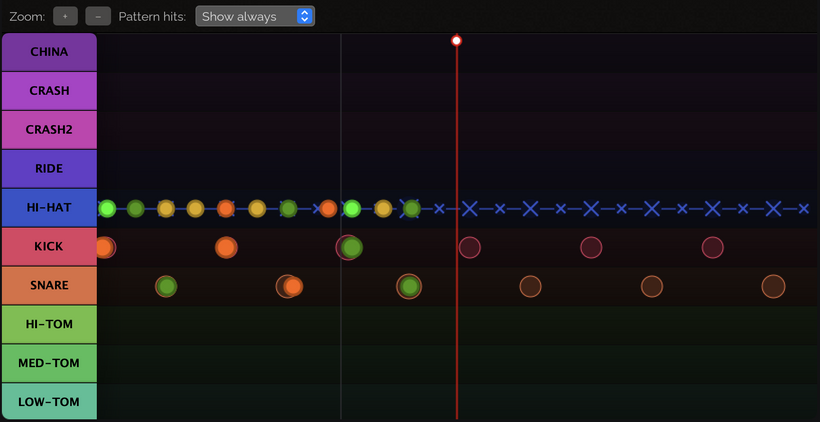
Renamed the Timeline mode selection to Pattern Hits and added a Hide Played mode, which hides pattern hits when they match your user hits.
Hits are now colored based on your scoring accuracy:
- Bright green — 90% or higher (perfect)
- Green — 80–89%
- Yellow — 60–79%
- Orange — below 60%
- Red — missed
Pattern Editor
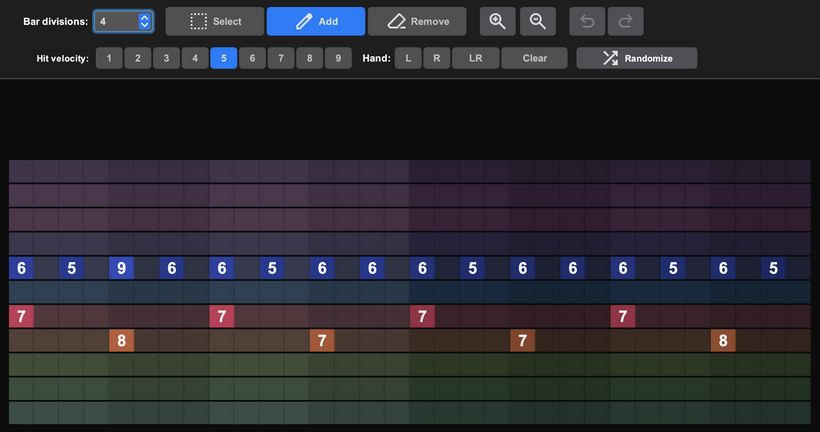
Bars can now be divided into visual sub-blocks, making it easier to add and edit notes.
Other changes
- CORE version now includes live meters (timing, dynamics, and scoring average).
- CORE version now plays backing tracks from Pattern Packs.
- FREE license now has a 5-pattern limit.
- FREE and CORE licenses now support MIDI and Guitar Pro file import with backing track synthesization (limited to a 30-second preview).
- Added an alternative method for opening the web browser from the version upgrade dialog. It’s not guaranteed to work on every system, but it may help when the default method fails.
That’s 1.3.0-BETA. Update the app and let me know what breaks.