Beat Studio 1.2.0-BETA: Pattern Packs
Pattern Packs — a new way to organize, share, and discover drum patterns. Plus tempo sync, pattern info fields, score indicators, and a stack of fixes.
The headline feature in this release is Pattern Packs. Until now, patterns lived in one big flat list — fine when you had ten, painful when you had a hundred. Pattern Packs let you group them however you want: by song, by genre, by what you’re working on this month. You can export a whole pack as a single file, share it, and the person on the other end can import it as one.
Pattern Packs
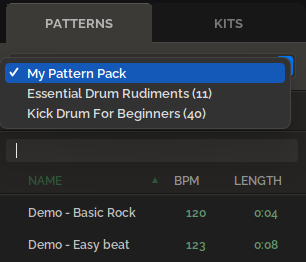
Patterns now live inside packs, which you can switch between from the PATTERNS dropdown.
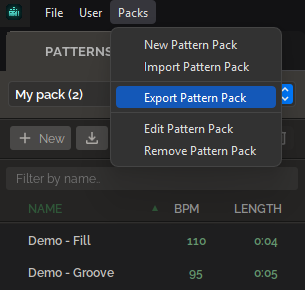
A new Packs menu in the top bar handles creating, importing, exporting, editing, and removing packs. Exporting writes the whole pack to a single file you can share.
I’ll be putting out official ready-made packs for both CORE and PRO members over the coming weeks. If you’ve got an idea for a pattern pack you’d like to make and share with other users — or thoughts on where community packs should live — leave a comment on the Patreon post or get in touch. I’d rather figure out the distribution piece together than guess at it.
Pattern info fields
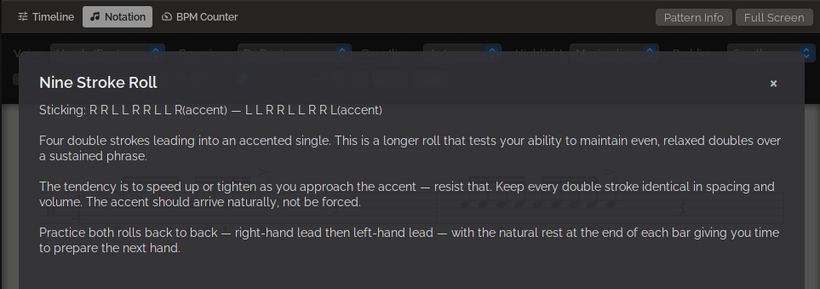
Every pattern now has a Title and Description field. Click the Pattern Info button above the Timeline/Notation view to see them — the button is hidden when the fields are empty, so nothing changes if you don’t use them.
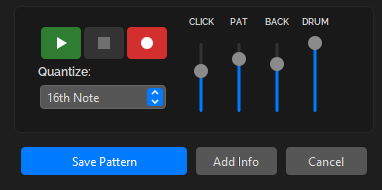
You add or edit the fields from the pattern edit dialog, via the new Add Info button next to Save Pattern.
This is especially useful when you’re sharing a pack — without context, “Pattern 7” doesn’t tell anyone what they’re meant to be practicing.
Backing track: link tempo to BPM
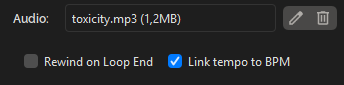
A new Link tempo to BPM checkbox in the pattern edit dialog keeps the backing track tempo in sync with whatever BPM you set on the pattern. No more retuning them manually every time.
Two things worth knowing:
- If you’re using an MP3 backing track, match the backing track and pattern tempo manually before enabling this option. Otherwise the link starts from whatever offset you had and the result isn’t what you’d expect.
- The backing track pitch shifts with tempo for now. True time-stretching is on the list, but it’s not in this release.
Score indicators on the pattern grid
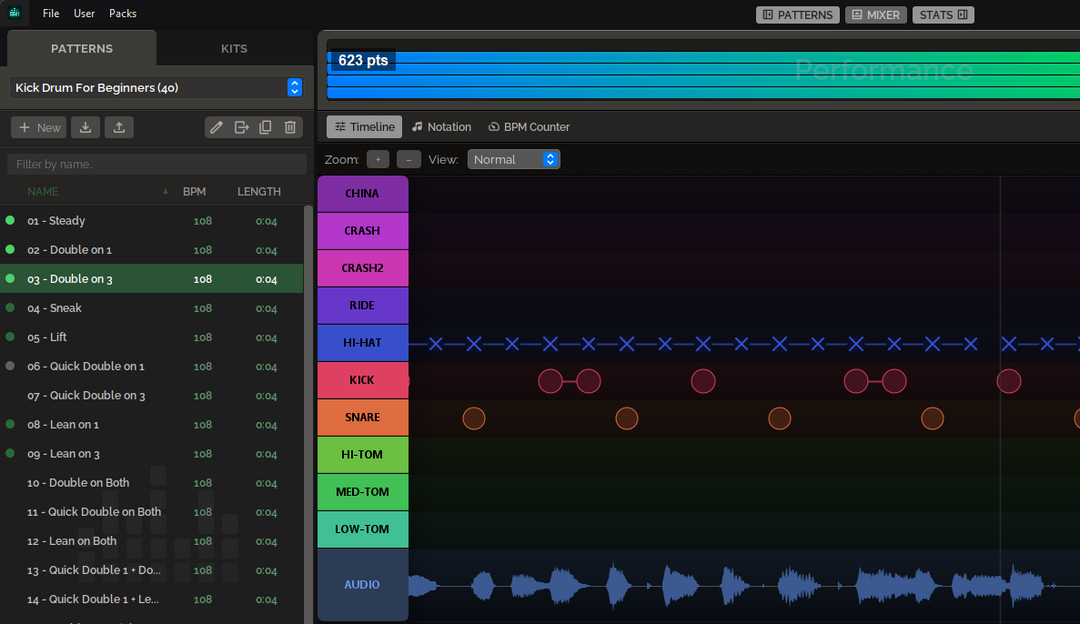
The pattern grid now shows your top score on each pattern at a glance, as a small colored dot:
- Gray — over 70%
- Dark green — over 80%
- Bright green — over 90%
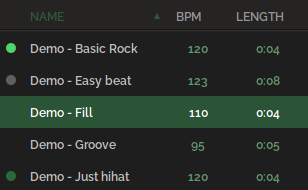
Useful for spotting which patterns you’ve actually nailed and which ones you’ve been quietly avoiding.
UI changes
A handful of smaller things.
All footer components moved up to the top layout. Less scrolling around, more screen space where you need it.

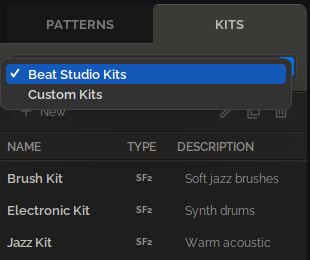
The KITS tab now switches between the built-in Beat Studio kits and your custom kits via a dropdown at the top.
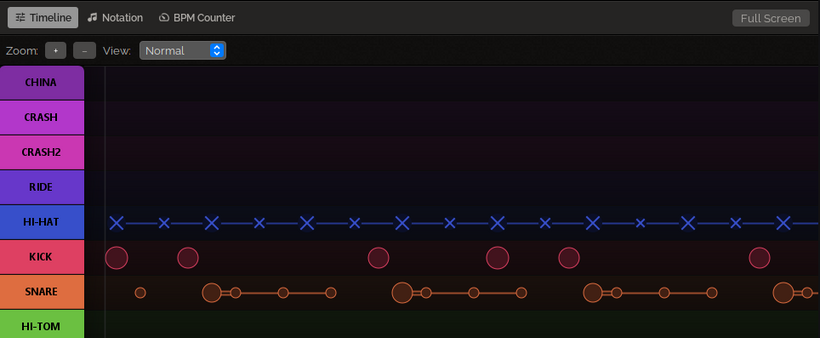
Timeline, Notation, and the BPM Counter now all support Full Screen mode.
Fixes
- Backing track no longer jumps to the start of the audio file after one loop when a sub-pattern is selected.
- Notation: the last note of the bar now displays the correct length.
- The main layout PATTERNS, MIXER, and STATS buttons behave the way they should.
That’s 1.2.0-BETA. Update the app and let me know what breaks.